
Salesforce
What Drives Salesforce Implementation Cost in 2026
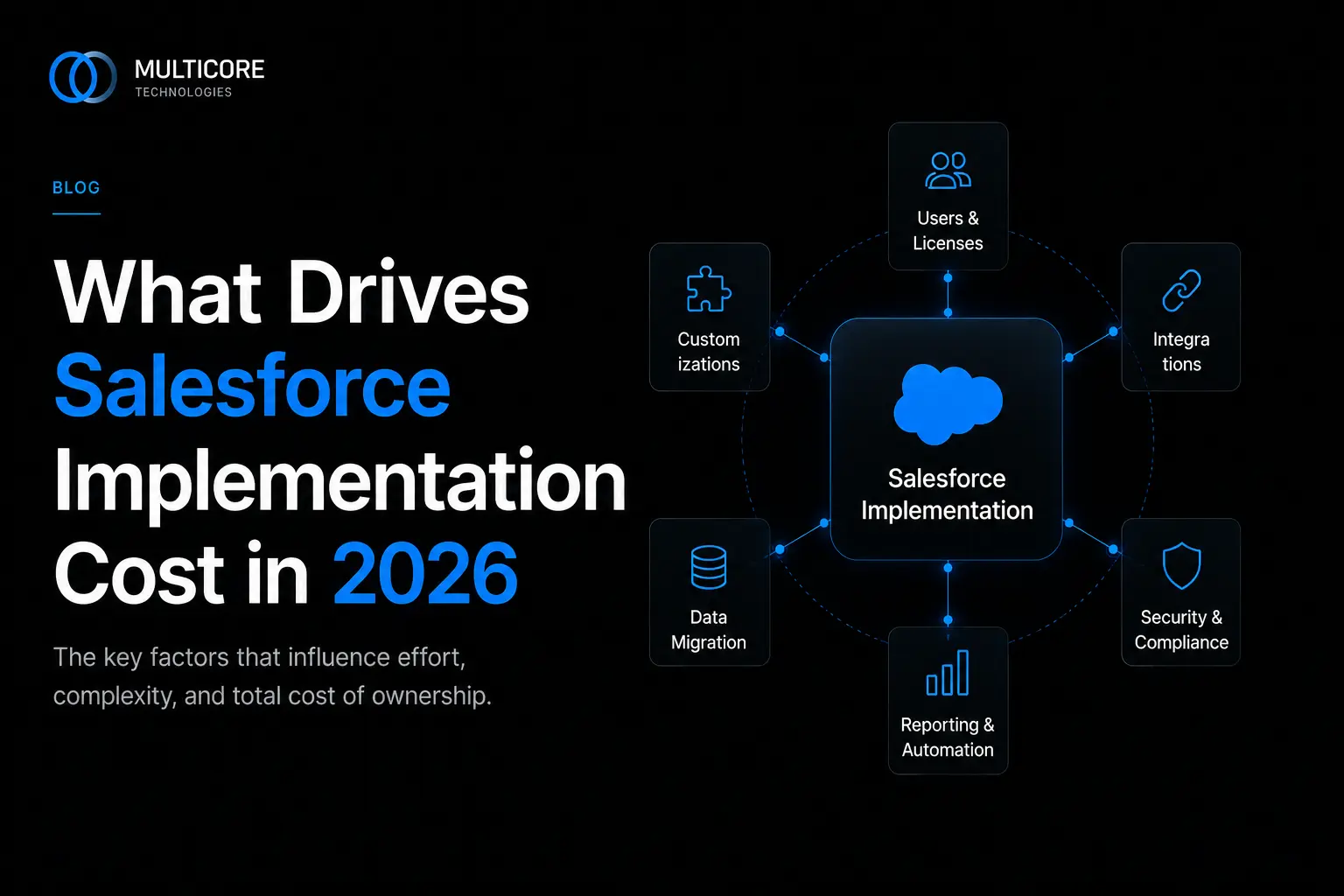
Salesforce will quote you a per-user license price, and that number is the part of the budget that lies to you. It is real, but it is the smallest, most predictable line item. The money moves in implementation: the work of turning a generic platform into something your team actually uses. Here is where that budget goes in 2026, so you can scope it before someone else scopes it for you.
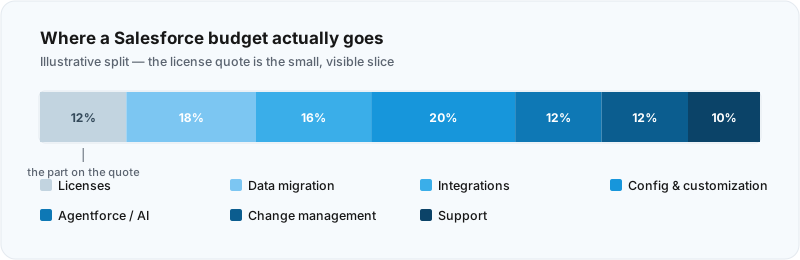
Scope and number of clouds
The single biggest cost lever is how much of Salesforce you are turning on. A single-cloud Sales Cloud rollout for one team is a different animal from Sales plus Service plus an Experience Cloud portal plus Data Cloud stitching it together. Each cloud brings its own data model, its own configuration surface, and its own set of decisions to make. Cost does not add linearly across clouds either, because the integrations between them, and the shared data model underneath, get more complicated with each one you add.
Be honest about which clouds you need now versus which ones are on a roadmap someone drew in a workshop. Broadly, a focused single-cloud deployment costs meaningfully less than a multi-cloud transformation, and the gap is wider than most first-time buyers expect.
Data migration and data quality
This is the line item that quietly wrecks timelines. Moving records into Salesforce is straightforward. Moving fifteen years of duplicated, half-populated, inconsistently-formatted records from three legacy systems is not. The effort is rarely in the load itself; it is in the mapping, the de-duplication, the validation rules, and the reconciliation when numbers do not match the old system.
Dirty source data is the most common reason a migration estimate doubles. If your data is clean and well-structured, migration is a task. If it is not, migration becomes a project inside your project.
Integrations
Salesforce almost never lives alone. It talks to your ERP, your marketing platform, your billing system, maybe a data warehouse and a handful of internal services. Each integration carries cost, and the cost scales with two things: how many systems, and how messy each connection is.
A clean, well-documented REST API with a sandbox is one level of effort. A legacy system with no API, batch file exchanges, and an owner who left two years ago is another entirely. Real-time, bi-directional sync costs more than a nightly one-way batch. Count your integrations early and grade each one by difficulty, because integrations are where “we’ll figure it out later” becomes a change order.
Configuration versus customization
Salesforce gives you two ways to build: declarative configuration (point-and-click with flows, validation rules, page layouts) and pro-code customization (Apex, Lightning Web Components, custom APIs). Configuration is faster to build, cheaper to maintain, and survives platform upgrades with less fuss. Custom code is powerful and sometimes necessary, but every line of Apex is something to test, document, and maintain for years.
The cost difference is significant, and it compounds. A requirement met with a flow might take a day. The same requirement built as a custom LWC with Apex might take a week, plus test coverage, plus a permanent maintenance tax. Heavy customization is the second most common budget-doubler after dirty data.
Users, profiles and permission complexity
User count affects license cost directly, but the hidden implementation cost is permission complexity. Fifty users who all do the same job with one profile is simple. Fifty users across eight roles, four regions, and three approval hierarchies, each needing different record access, is a security model that takes real design work. Profiles, permission sets, sharing rules, and role hierarchies all have to be planned, built, and tested. The more nuanced your access requirements, the more this costs.
AI and Agentforce add-ons
This is the new entry on the 2026 budget. Agentforce and the broader Salesforce AI layer are no longer a “maybe next year” item, and they carry both a consumption-based licensing cost and a real implementation cost that buyers consistently underestimate. An autonomous agent is only as good as the data, grounding, and guardrails behind it. Standing one up means defining topics and actions, connecting trusted data sources (often through Data Cloud), writing and testing instructions, and putting guardrails around what the agent is allowed to do.
Treat AI as its own workstream with its own budget, not a checkbox you tick at the end. The licensing is consumption-based, so usage assumptions matter, and the implementation effort behaves more like building a small product than configuring a feature.
Change management, training and adoption
Software that no one uses has an infinite cost per active user. Change management is the work of getting people to actually adopt the system: training tailored to each role, documentation, a feedback loop in the first weeks, and executive sponsorship that does not evaporate after go-live. It is the first thing cut when budgets tighten and the most common reason implementations underdeliver. Budget for it deliberately, or pay for it later in low adoption and a second remediation project.
Ongoing managed services and support
Go-live is the start, not the finish. Salesforce ships three major releases a year, your business changes, users request enhancements, and someone has to own admin work, bug fixes, and the next round of improvements. You can staff this internally, retain a partner on a managed-services model, or blend the two, but it is a recurring line item either way. Pretending the cost ends at go-live is the most expensive assumption on this list.
Partner rate and region
Finally, who does the work. Partner rates vary widely by region, and a globally distributed delivery model, the kind we run from Ahmedabad for clients worldwide, typically lands well below onshore-only rates for comparable certified expertise. Rate matters, but so does throughput and rework: a cheaper team that needs two attempts is not cheaper. Weigh blended rate against delivery track record, certifications, and how much of the work lands right the first time.
The drivers at a glance
| Cost driver | Pushes cost UP | Keeps cost DOWN |
|---|---|---|
| Scope and clouds | Multiple clouds, broad transformation | One cloud, tight scope, phased rollout |
| Data migration | Dirty, duplicated, multi-source data | Cleaned and de-duplicated before migration |
| Integrations | Many systems, legacy, real-time bi-directional | Few systems, modern APIs, batch where acceptable |
| Configuration vs custom code | Heavy Apex and LWC for every requirement | Declarative-first, code only where necessary |
| Users and permissions | Many roles, regions, complex sharing rules | Few profiles, simple access model |
| AI / Agentforce | Multiple agents, complex grounding, high usage | Focused use case, clean data, staged rollout |
| Change management | Skipped or under-resourced | Planned per role, sponsored, measured |
| Ongoing support | Unplanned, reactive break-fix | Defined managed-services model from day one |
Tips to control the cost
Phase it. A focused first release that goes live and gets used beats a sprawling big-bang that slips for a year. Configure before you customize, and make every line of Apex justify itself. Clean your data before migration, not during. Map and grade your integrations early so none of them become a surprise. And decide your AI and support strategy up front, because both are easier to budget than to retrofit.
None of this requires a bigger budget. It requires an honest one, scoped against what the work actually involves rather than the license quote on page one.
If you want a realistic estimate built around your scope rather than a generic range, that is what our Salesforce practice does every day. Start a project and we will help you scope it properly before a single dollar is committed.